There is a common assumption floating around in business circles that hiring a video editor means hiring someone to cut clips together. You hand over the footage, they trim it up, and a finished video lands in your inbox a few hours later.
That assumption is costing businesses time, money, and more than a few failed hires.
The reality is that editing is only one piece of what a full-time video editor actually does. The role is part creative, part technical, part project coordinator, and part quality control. If you are planning to bring someone on or scale your video output, understanding what the job actually looks like day-to-day will help you hire smarter and set your team up for real results.
Here is an honest breakdown of what a full-time video editor does, hour by hour, and what that means for your business.
The Short Answer: What a Full-Time Video Editor Actually Does
Before we go deep, here is the quick version. A full-time video editor typically handles:
- Editing raw footage into finished content
- Adding graphics, music, captions, and polish
- Collaborating with teams and managing revision rounds
- Organizing files, assets, and project timelines
- Optimizing content for different platforms and formats
A Realistic Day-to-Day Breakdown
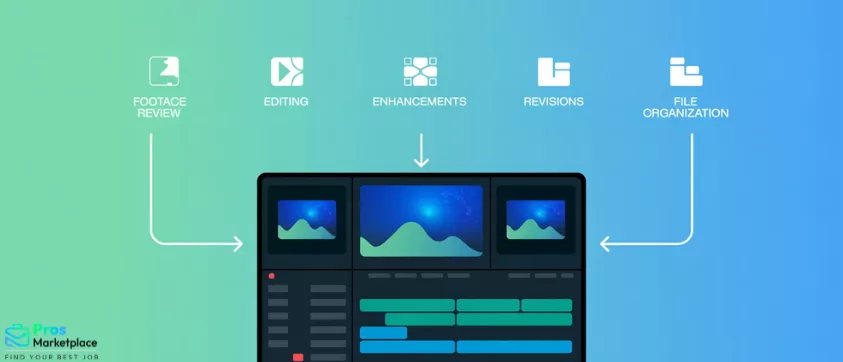
If you mapped out a full-time video editor’s week, it would look something like this across five core areas:
1. Reviewing Footage and Planning Edits (10 to 20 Percent of Their Time)
Before a single cut is made, a good editor watches the raw footage. This is not wasted time. It is essential groundwork. They are scanning for the best takes, identifying usable B-roll, noting audio issues, and building a mental map of how the story should flow.
On a content-heavy production week, this alone can take several hours. If your team shoots long-form interviews, event coverage, or multiple product demos in one session, that footage review period grows significantly.
Editors who skip this step and jump straight into cutting tend to produce disorganized, inefficient edits that require more revisions later.
2. Core Editing Work (40 to 50 Percent of Their Time)
This is the part most people picture: cutting clips, structuring a story, adjusting pacing, syncing audio, and making the piece flow. For a short-form video, this might take an hour. For a 20-minute YouTube documentary-style video, it could take two full days.
Core editing also includes color grading, audio mixing, and syncing music to the visual rhythm of the piece. These are all skills that separate a competent editor from a great one, and they take real time to execute well.
3. Adding Enhancements (15 to 25 Percent of Their Time)
Once the base edit is locked, editors layer in the elements that make a video feel complete: lower-third text, captions, title cards, transitions, motion graphics, B-roll cutaways, and sound design.
This phase is often underestimated by clients and managers. Adding captions alone to a 10-minute video can take an hour when done accurately. Motion graphics sequences can take half a day. If your brand has specific visual standards, this phase also involves matching templates and style guidelines.
4. Revisions and Feedback (10 to 25 Percent of Their Time)
Revisions are a built-in part of the job, and on client-facing or stakeholder-heavy projects, they can consume a quarter of an editor’s week.
This includes receiving feedback, interpreting notes (which are not always clear), making changes, exporting a new version, and going through the cycle again. A well-run revision process can be streamlined. A poorly managed one can turn a two-day project into a week-long back-and-forth.
This is one area where business owners consistently underestimate the time requirement. Every round of revisions that involves a new stakeholder or unclear direction adds hours to the timeline.
5. File Management and Organization (5 to 10 Percent of Their Time)
Unglamorous but critical. Editors spend real time naming files, organizing project folders, exporting multiple versions for different platforms, archiving footage, and maintaining version control so that no one accidentally uses an outdated cut.
On a team producing multiple videos per week, this administrative overhead adds up fast. Good file hygiene prevents costly mistakes and keeps production running smoothly when multiple people are involved in the same project.
What Changes Depending on the Type of Video Work
Not all video production looks the same, and the day-to-day responsibilities shift significantly based on the content type.
YouTube and Long-Form Content
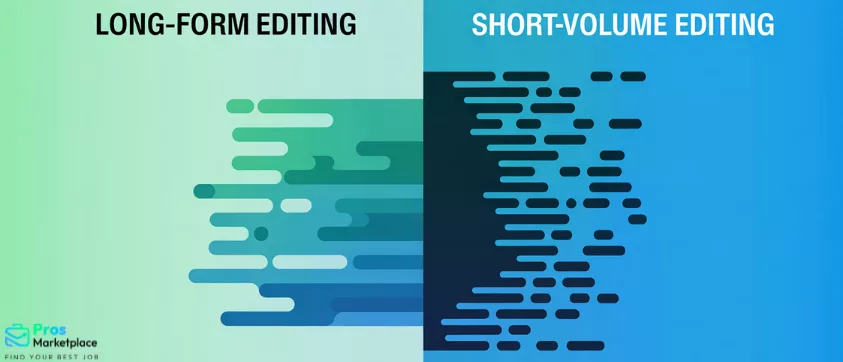
Long-form editing is storytelling-intensive. Editors focus heavily on pacing, narrative flow, audience retention, and how to keep viewers engaged across 10, 20, or 30 minutes. There is more creative decision-making involved, and each video takes significantly more time to edit well.
If you are building a YouTube channel or producing educational content, you need an editor with a storytelling sensibility, not just technical speed. Learn more about scaling video content production and what that actually requires for growing channels.
Short-Form Content (TikTok, Reels, YouTube Shorts)
Short-form editing rewards speed and volume. Turnaround times are tighter, templates become essential, and the skill set leans toward snappy pacing, trend awareness, and quick iteration. Editors in this space often work on 5 to 10 pieces per day.
The trade-off is that while individual pieces are faster, the volume and pace can be relentless. One editor handling all short-form content for an active brand can hit capacity quickly. When volume becomes the constraint, invideo Agent uses the latest video models, Gemini Omni Flash, Google Veo, and more to turn a text brief into a finished clip, complete with motion, scene transitions, and captions, so the templated end of the queue moves without touching your editor’s time.
Marketing and Advertising Content
Ad editing involves the most revision cycles of any category. Stakeholders multiply, feedback loops extend, and a 30-second video can go through 8 rounds of changes before it is approved. Editors working in this space need strong communication skills and patience for process.
What a Video Editor Does Not Typically Do
This is where misaligned expectations create the most friction. Here is what falls outside a standard video editor’s scope:
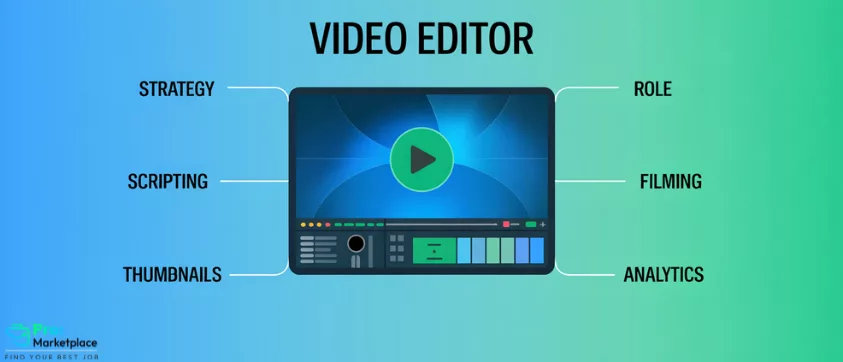
- Content strategy and publishing calendars (this is a producer or content strategist role)
- Scriptwriting (unless you are hiring a video editor who also writes, which is a different skill set and pricing tier)
- Filming and on-camera production (a separate role entirely, often a videographer or director)
- Thumbnail design and social media graphics (some editors do this, but it is typically a graphic designer’s job)
- Channel management, SEO optimization, and analytics review
When businesses expect one editor to own all of these functions, they end up with a burned-out hire who is mediocre at everything rather than excellent at editing. Clarity about scope is essential before the first video is ever assigned.
Where Most Businesses Misunderstand the Video Editor Role
After working with hundreds of video editors and the businesses that hire them, a few patterns come up consistently when things go wrong.
Thinking editing is quick.
A professional, polished video takes time. Cutting corners on timeline expectations leads to rushed work and poor output. If you need a high-quality 5-minute video in 24 hours, that is a rush job, not a standard turnaround.
Not accounting for revision time.
Most scopes underestimate how long revisions take. Budget for at least two rounds of revisions in every project timeline, and build in a buffer for stakeholder feedback.
Expecting one editor to do everything.
A single editor producing daily short-form content, weekly long-form videos, monthly ad creative, and managing all file storage is not a workflow. It is a recipe for missed deadlines and inconsistent quality.
Not providing clear creative direction.
Vague briefs create expensive rework. Editors cannot read minds. The more specific you are about the goal, the audience, the tone, and reference examples, the better the output will be.
How to Get the Most Out of a Full-Time Video Editor
1. Provide Clear Briefs
Every project should start with a written brief that covers the goal, target audience, desired length, platform, tone, and links to reference AI video examples when relevant. This is not micromanagement. It is efficient communication that saves everyone time.
2. Standardize Your Content
Templates, brand style guides, and repeatable formats reduce decision fatigue and editing time. When your editor knows exactly what a video is supposed to look and sound like, they can move faster and more consistently.
3. Batch Your Content
Recording multiple videos in a single shoot session and then batching them for editing is dramatically more efficient than one-off productions. It also allows your editor to stay in a creative flow rather than constantly switching gears.
4. Streamline Your Feedback Process
Feedback should come from one consolidated source, not five separate email threads. Tools that centralize revision notes keep the process clean and prevent contradictory instructions. If you are managing a remote video editing team, having a clear feedback system is even more critical.
When One Video Editor Is Not Enough
There are clear signals that your content operation has outgrown a single editor:
- You are producing video consistently across multiple platforms and formats
- Turnaround times are slipping and quality is suffering
- Your editor is permanently stuck in revision cycles with no time for new projects
- You want to scale output without sacrificing quality
- You need specialized skills for different content types (long-form versus short-form, for example)
These are growth signals, not failure signals. They mean your content strategy is working and needs more support to keep pace.
Full-Time vs Freelance vs Remote Editors: What Is the Right Fit?
The hiring model matters as much as the hire itself.
A full-time in-house editor offers consistency, deep brand familiarity, and reliable availability. The trade-off is overhead and the risk of underutilization during slower production periods.
A freelance editor offers flexibility for project-based work, but less control over availability, and brand consistency can suffer over time if you are rotating through different editors.
A pre-vetted remote editor through a marketplace like Pros Marketplace offers a balance of both: consistent, qualified talent with the flexibility of a remote model and none of the hiring overhead. For businesses scaling content production, this is often the most practical path.
Key Takeaways
- Editing is only 40 to 60 percent of a video editor’s actual workload
- Planning, coordination, revisions, and file management make up the rest
- Output quality depends on your workflow systems, not just the editor’s skill level
- Clear briefs, batched content, and streamlined feedback unlock better results
- One editor has limits; knowing when to scale your team is a strategic advantage
Ready to Scale Your Video Production?
If you are looking to scale video production without overloading one editor, working with pre-vetted remote editors through Pros Marketplace can help you increase output while maintaining quality. Our editors are screened, experienced, and ready to integrate into your existing workflow.